The Activity Log at a glance
A tour of the main log screen and its columns, filters and detail panel.
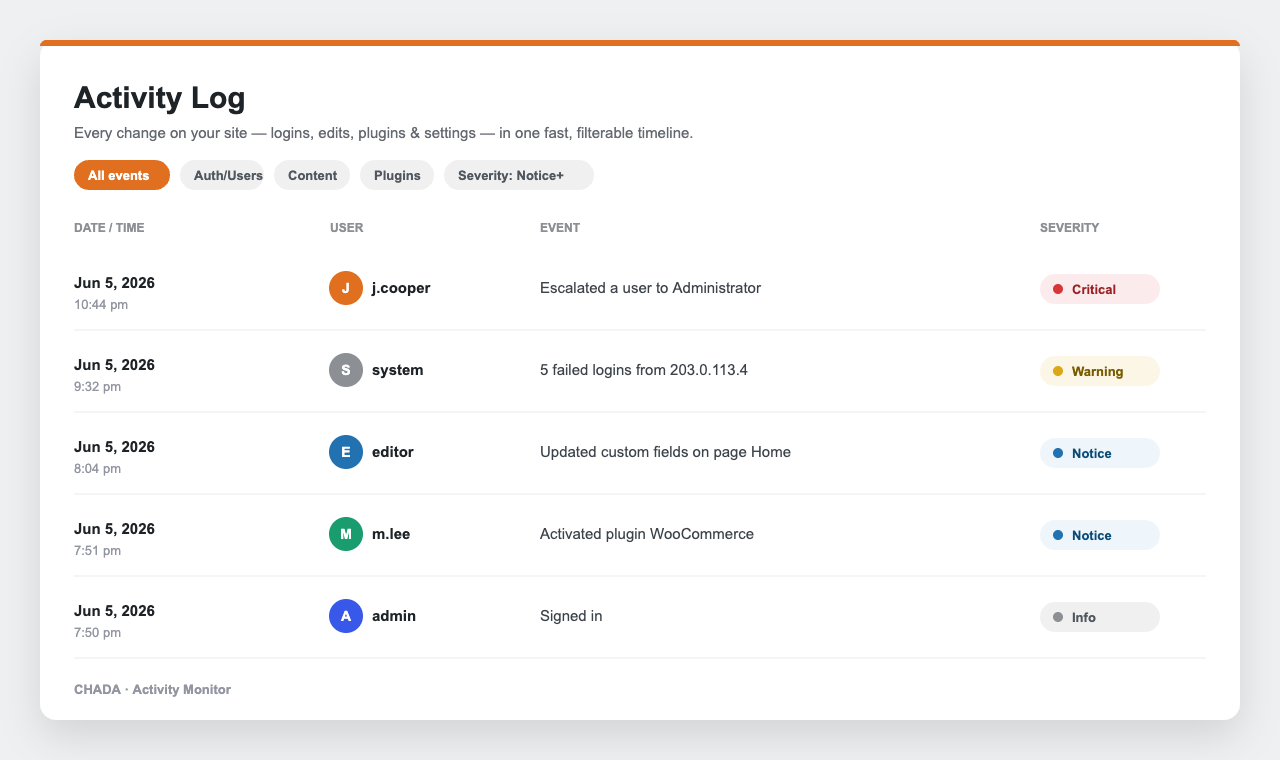
The Activity Log screen is the heart of the plugin: a fast, filterable, readable table of everything that happens on your site.
What each column shows
- Date / Time — when it happened, in your site timezone.
- User — who did it (or system for automated events).
- Event — a plain-language description plus a category pill.
- Severity — Info, Notice, Warning or Critical, with an icon and label.
Filtering & export
Narrow the log by user, role, category, severity, date range or free-text search. Active filters appear as removable chips, and any view can be exported to CSV. Click View details on any row to open the slide-in panel with the full context, including the exact before → after changes.